
Fetch Store
The Fetch Store endpoint enables integration partners to fetch store information, including modifications to store availability, operating hours, and other details for a specific store on the Khumbu platform. This endpoint ensures that the POS system's store information stays synchronized across all integration partner systems.
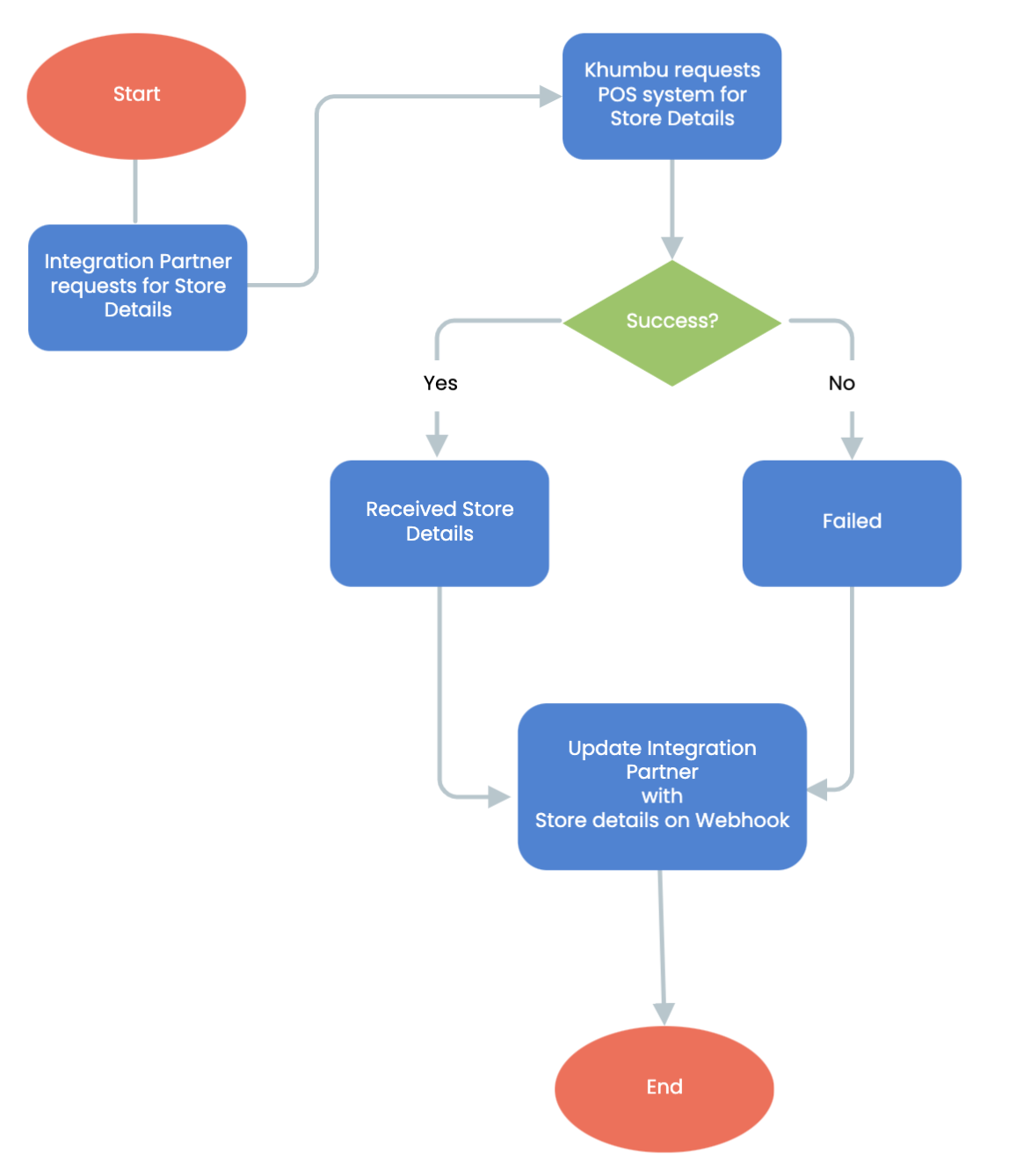
Fetch Store Workflow Steps:
- Start of Fetch Store:
The workflow begins when an integration partner submits a request to fetch store details. - Integration Partner Requests for Store Details:
The integration partner initiates the process by making an API call to retrieve specific store-related information. - Khumbu Requests Partner for Store Details:
- The Khumbu system processes the integration partner's request and forwards it to the POS system responsible for managing store information.
- Decision Point:
Success: If the POS system successfully returns the store details, the workflow proceeds to the next step.
Failure: If the POS system fails to provide the requested details, an error response is generated.
- Success:
When the POS system provides the requested information, the system confirms receipt and prepares the data for sending to the integration partner. - Failed:
If the request fails, the workflow notifies the integration partner about the issue and ends the process. - Update Integration Partner with Store Details on Webhook:
The Khumbu system uses a webhook to update the integration partner with the retrieved store details or a failure notification. - End of Fetch Menu:
The workflow concludes after the integration partner is notified, either with the requested store details or a failure message.
Key Features in Fetch Store
- Request Validation:
Ensures that only valid requests are processed and forwarded to the POS system. - POS system Integration:
Leverages POS systems to retrieve accurate and real-time store information. - Webhook Notifications:
Delivers updates to integration partners in real time, ensuring seamless communication and efficient workflows. - Error Management:
Handles scenarios where the POS system fails to provide the requested details, offering clear feedback to the integration partner.
Updated over 1 year ago
Did this page help you?